TL;DR
Open a free Amazon Business account
Business pricing, bulk buying and tax-exempt orders.
Create a free accountAs an affiliate, we earn on qualifying purchases.
The best underseat bags meet airline size limits, offer smart compartments, and use durable, water-resistant materials. They keep your electronics safe, organized, and accessible during travel.
Ever tried squeezing your electronics into a bag that’s just a bit too small? It’s frustrating. The right underseat bag makes all the difference—compact enough to slide under your seat, yet spacious enough to keep your tech organized and protected. If you’re tired of rummaging through clutter or risking damage to your gadgets, this guide is for you.
We’ll explore what makes an underseat bag truly travel-ready for electronics and accessories. From size specs to smart features, you’ll learn how to pick a bag that fits airline rules, protects your gear, and keeps your travel stress-free.
Always verify airline size and weight limits before choosing your underseat bag.
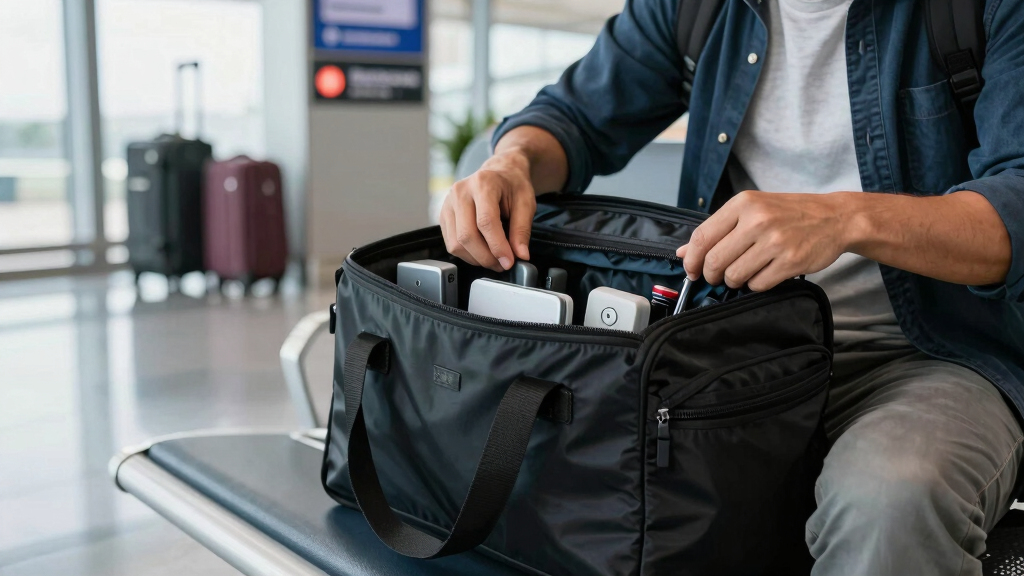
Opt for bags with dedicated padded compartments to protect electronics from shocks and scratches.
Water-resistant fabrics and sturdy zippers increase your gear’s longevity and safety.
Features like USB charging ports and modular dividers boost convenience and adaptability.
Prioritize lightweight designs with security features for hassle-free travel.
The Best Underseat Bags for Storing Electronics and Accessories
The right bag slips beneath the seat without a struggle, protects delicate devices, and keeps every cable, charger, and power bank within easy reach. This guide distills the dimensions, materials, organization, and security features that matter most.
40% lower damage risk with dedicated padded laptop and tablet compartments.
Reported by BagsOK versus generic, unorganized models
Size for the seat, not just the cabin
Airline allowances and actual underseat clearance can differ. A bag slightly below the published maximum gives you flexibility around seat supports, power boxes, and tighter seat pitch—while reducing the chance of gate-checking.
The practical sizing range
Gate-proofing rule: Measure the packed bag at its widest points, including bulging exterior pockets, wheels, and handles. Then compare it with the operating airline’s current personal-item policy.
Six features that earn their space
Useful organization separates hard objects from fragile screens, prevents cable tangles, and makes security checks faster. More pockets are not automatically better—the best layouts are intuitive, accessible, and lightweight.
Padded device sleeves
Suspended, soft-lined sections reduce shock, screen scratches, and contact with chargers or adapters.
Dedicated cable zones
Mesh pockets and elastic loops keep small accessories visible and stop loose cords from becoming a knot.
Water-resistant shell
Coated polyester, nylon, or ballistic fabric buys valuable time during rain, spills, and damp transfers.
Lockable closures
Interlocking zipper pulls and RFID-lined pockets add protection in busy terminals and crowded transit.
Low base weight
A bag under three pounds leaves more of the airline allowance for devices instead of unnecessary structure.
Modular dividers
Adjustable sections adapt from laptop-and-cable duty to cameras, headphones, or a compact work setup.
Build defense in layers
Water resistance is only one part of durability. Zippers, seams, padding, and abrasion resistance work together; one weak component can undermine the entire bag.
Protection priority
Relative buying emphasis for electronics-focused travel.
Inspect before buying
A two-minute hardware check reveals more than a long feature list.
Three electronics-ready profiles
Each model serves a different traveler: the balanced all-rounder, the feature-rich modular option, and the slim minimalist. Confirm current measurements, availability, and airline allowances before purchase.
| Model | Size | Weight | Capacity | Key features | Price range |
|---|---|---|---|---|---|
| BalancedSamsonite Xenon 3.0 | 16 × 10 × 8 in | 2.8 lb | 20 L | Water-resistant shell, padded laptop compartment, multiple pockets | $80–$120 |
| Tech-forwardNomatic Navigator | 17 × 11 × 7 in | 2.9 lb | 22 L | USB port, RFID pockets, modular dividers | $250–$300 |
| SlimeBags Pro Slim | 15.5 × 10 × 4 in | 2.5 lb | 15 L | Slim profile, water-resistant fabric, lockable zippers | $100–$150 |
Prices and product specifications can change. Treat the figures as a comparison framework and verify the current product listing before making a decision.
From airline rule to protected device
A reliable choice follows a simple chain: verify the limit, measure honestly, organize by risk, protect against exposure, and run a packed test before departure.
Check the operating airline’s personal-item dimensions and weight policy.
Measure the fully packed bag, including bulges, handles, and wheels.
Keep screens, hard adapters, batteries, and loose cables in dedicated zones.
Close lockable zippers and place sensitive cards inside RFID-lined storage.
Carry, open, and retrieve essentials before the real travel day.
Choose the smallest bag that comfortably fits your setup, then prioritize padding, purposeful organization, durable hardware, and fast access.
How to Pick a Size That Fits Under Your Seat (And Airline Rules)
The biggest mistake travelers make? Choosing a bag that’s just a bit too big. Underseat bags generally measure between 15-18 inches long, 10-14 inches wide, and 6-8 inches high. These dimensions fit most airline cabin restrictions, but always check specific airline policies first.
For example, a typical underseat bag like the Samsonite Xenon 3.0 measures 16 x 10 x 8 inches, fitting comfortably under most economy class seats. To avoid surprises at the gate, verify your airline’s size limits online before packing. Remember: a bag that’s slightly under the maximum size offers flexibility with seat configurations and seat pitch.
Choosing the correct size isn’t just about fitting under the seat; it’s about ensuring your gear has enough room without becoming overstuffed, which can lead to damage or difficulty stowing. Being aware of airline restrictions helps prevent last-minute repacking or gate-checking, saving you time and stress. The tradeoff is that overly compact bags might limit your packing capacity, so find a balance that suits your travel style.
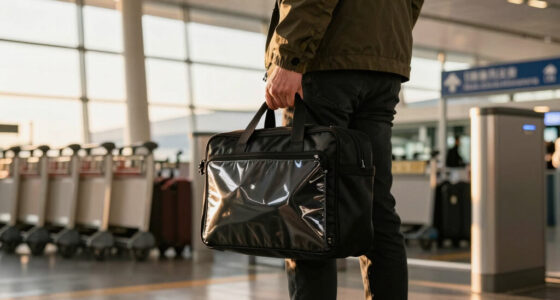
underseat laptop bag with padded compartments
As an affiliate, we earn on qualifying purchases.
As an affiliate, we earn on qualifying purchases.
Why Organization Matters: Compartments That Keep Electronics Safe
A cluttered bag risks scratches, damage, or even losing small accessories. The best underseat bags include multiple compartments—dedicated padded sections for laptops, separate pockets for cables, and smaller sleeves for earbuds or power banks.
Deep organization isn’t just about tidiness; it directly impacts the safety and longevity of your electronics. Padded compartments absorb shocks during transit, reducing the risk of internal damage from bumps or drops. Separate compartments prevent items from jostling together, which can cause scratches or disconnections. Small accessories like chargers or SD cards are easy to lose in a jumble, but dedicated pockets keep them accessible and protected.
Imagine reaching for your tablet and finding it protected by a soft, padded sleeve. Or quickly grabbing your portable charger from a dedicated mesh pocket. Bags that segment your gear make your trip smoother, especially when rushing through security or boarding. The tradeoff is that more compartments can add weight or bulk, so it’s essential to choose a design that balances organization with portability.
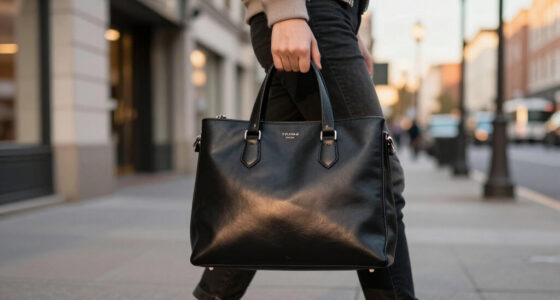
water-resistant underseat travel bag for electronics
As an affiliate, we earn on qualifying purchases.
As an affiliate, we earn on qualifying purchases.
Material Matters: Water Resistance and Durability You Can Count On
Electronics and accessories deserve protection from more than just bumps. Water-resistant fabrics like ballistic nylon or coated polyester shield your gear from rain, spills, or accidental splashes.
Understanding the importance of water resistance means recognizing that travel environments are unpredictable. Rainstorms, spilled drinks, or even humidity can damage sensitive electronics if your bag isn’t protected. Water-resistant fabrics act as a barrier, giving you peace of mind during unexpected weather or accidental splashes. However, water resistance isn’t foolproof—heavy rain might still penetrate if zippers or seams aren’t sealed properly, so look for bags with features like storm flaps over zippers.
Durability isn’t just about resisting water; it encompasses sturdy zippers, reinforced seams, and abrasion-resistant fabrics that withstand frequent handling. A bag with these features reduces the need for replacements and ensures your gear remains protected over many trips. Opting for a bag with at least a 2-year warranty indicates confidence in its durability and helps you avoid premature wear and tear.
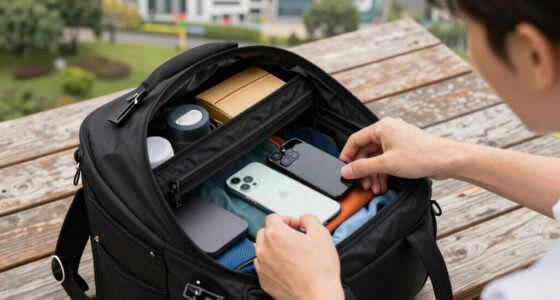
compact underseat bag with USB charging port
As an affiliate, we earn on qualifying purchases.
As an affiliate, we earn on qualifying purchases.
Comfort and Security: Carrying Your Tech Without Strain or Worry
A lightweight bag with padded handles and adjustable straps makes carrying your gear less of a chore. During long airport walks or transfers, comfort is key. Look for ergonomic straps and padded backs.
Security features matter too. Lockable zippers or RFID-blocking pockets help prevent theft or unauthorized scanning of your cards and data. For instance, the Tumi Alpha 3 Underseat Bag includes lockable zippers and RFID-secure pockets, adding peace of mind during busy travel days.
Also, consider the weight of the bag itself. A lightweight design—under 3 pounds—means more room for your gadgets without exceeding weight limits. While lightweight bags are easier to carry, they shouldn’t compromise on durability or security features, which are critical for protecting your electronics and personal data during transit. The tradeoff often involves balancing additional padding or security elements with overall weight, so choose wisely based on your travel needs.
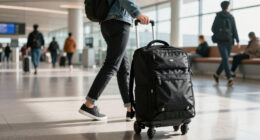
organized underseat carry-on for electronics
As an affiliate, we earn on qualifying purchases.
As an affiliate, we earn on qualifying purchases.
Latest Tech-Integrated Features: Charging Ports and Modular Designs
Smart travelers want convenience. Some underseat bags now include built-in USB ports, allowing you to charge devices on the go. Simply connect your power bank inside the bag and plug in your phone or tablet at any time.
Modular designs let you customize storage—removable compartments or adjustable dividers adapt to your needs, whether you’re carrying a laptop, camera gear, or multiple chargers. This flexibility can reduce clutter and improve access, especially during tight travel schedules.
Take the Nomatic Navigator again—it offers an integrated USB port and customizable compartments, making it a tech-friendly option for modern travelers. The tradeoff is that added features might increase the overall weight or cost, so consider whether these enhancements align with your travel priorities and budget.
Comparison Table: The Best Underseat Bags for Electronics
| Model | Size (inches) | Weight | Capacity (liters) | Key Features | Price Range |
|---|---|---|---|---|---|
| Samsonite Xenon 3.0 | 16 x 10 x 8 | 2.8 lbs | 20L | Water-resistant, padded laptop compartment, multiple pockets | $80–$120 |
| Nomatic Navigator | 17 x 11 x 7 | 2.9 lbs | 22L | USB port, RFID pockets, modular dividers | $250–$300 |
| eBags Pro Slim | 15.5 x 10 x 4 | 2.5 lbs | 15L | Slim profile, water-resistant, lockable zippers | $100–$150 |
Frequently Asked Questions
How do I ensure my underseat bag fits airline restrictions?
Always measure your bag with a tape measure and compare it to your airline’s specific size limits, which typically range from 15 to 18 inches in length. Check airline websites for the latest policies before packing.What features should I look for in a bag for electronics?
Prioritize padded compartments, multiple organization pockets, water-resistant fabrics, and security features like lockable zippers or RFID-blocking pockets. These protect your gear and keep it accessible.Are underseat bags suitable for larger laptops?
Most underseat bags can accommodate laptops up to 15 inches, with some models fitting up to 17 inches. Always confirm the internal dimensions of the bag before purchase.How can I keep my accessories organized on the go?
Use bags with dedicated compartments for chargers, cables, and small gadgets. Packing cubes and elastic loops inside your bag can further separate and secure your items.Are eco-friendly underseat bags available?
Yes, many brands now offer bags made from recycled materials like nylon or PET bottles, combining sustainability with durability. Look for certifications or specific eco-labels to verify.Conclusion
The right underseat bag transforms travel from frustrating to efficient. It’s about balancing size, organization, and durability—so your electronics stay safe and accessible. When you pick a bag that ticks these boxes, every trip feels smoother and more in control.
Think of your travel gear as an extension of your professional toolkit—organized, protected, and ready for anything. That’s the real power of choosing the best underseat bag for electronics.
Flea & tick season Picks
flea and tick prevention
As an affiliate, we earn on qualifying purchases.