TL;DR

Get travel and outdoor gear delivered free with Prime
- Fast, free delivery on millions of items
- Prime Video, Amazon Music and more included
- Member-only deals all year
Travel detectors like GPS trackers and Bluetooth tags help locate lost luggage; proper attachment, activation, and monitoring are key. GPS trackers are best for checked bags and real-time updates. Regular checks and understanding airline policies boost your success.
Nothing ruins a trip faster than lost luggage. You’ve packed carefully, but somewhere between check-in and baggage claim, your bag vanishes. That’s where travel detectors step in—small tech tools that can turn a nightmare into a manageable problem.
In this guide, you’ll learn exactly how to use these devices properly. From choosing the right tracker to attaching it correctly, we’ll cover everything you need to prevent lost luggage and recover it quickly if it goes astray. Because in travel, knowledge and preparation make all the difference.
Choose GPS trackers for checked luggage to get real-time, global location updates.
Securely attach your tracker inside or on its handle, and keep batteries charged.
Always verify airline policies before using trackers in checked baggage.
Set up alerts and monitor your luggage’s location during the trip for quick action.
Use a tracker’s app to locate your luggage immediately if it goes missing, and contact airline support promptly.
What Are the Best Types of Travel Detectors for Your Luggage?
Travel detectors come in three main varieties: RFID tags, Bluetooth trackers, and GPS devices.
RFID tags are simple, inexpensive, and best for airline baggage tags. They work with scanners at the airport but don’t offer real-time tracking. This means they’re mainly useful for airport handling and security checks, giving you limited control over your luggage once checked in. Their main advantage is low cost, but their inability to provide ongoing updates means you can’t rely on them to find your bag if it goes missing later.
Bluetooth trackers like Tile or Apple AirTags connect via your smartphone. They’re perfect for carry-ons or checked bags you’re nearby with. Their limited range—usually up to 100 meters—means they’re most effective when you’re in close proximity, such as in the airport or at your destination. Their portability and ease of use make them handy for quick checks, but they’re less effective for tracking luggage across long distances or during layovers.
GPS trackers offer real-time location anywhere with cellular coverage. They’re pricier (typically $50–$150) but excel at tracking checked luggage across airports and cities. Because they transmit data via cellular networks, they can provide continuous updates and help you recover your luggage even if it’s far away. The tradeoff is the higher cost and the need to ensure the device’s battery remains charged, as they often use rechargeable batteries with shorter lifespan.
For checked luggage, GPS trackers are the most reliable option, providing constant updates and peace of mind. Bluetooth trackers are best for close-range tracking, like within the airport, while RFID tags serve more as handling aids rather than real-time locators.
As an affiliate, we earn on qualifying purchases.
How to Attach and Activate Travel Detectors Correctly
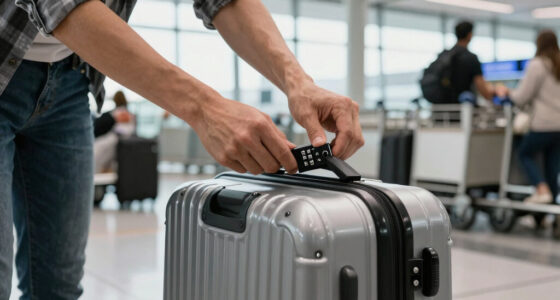
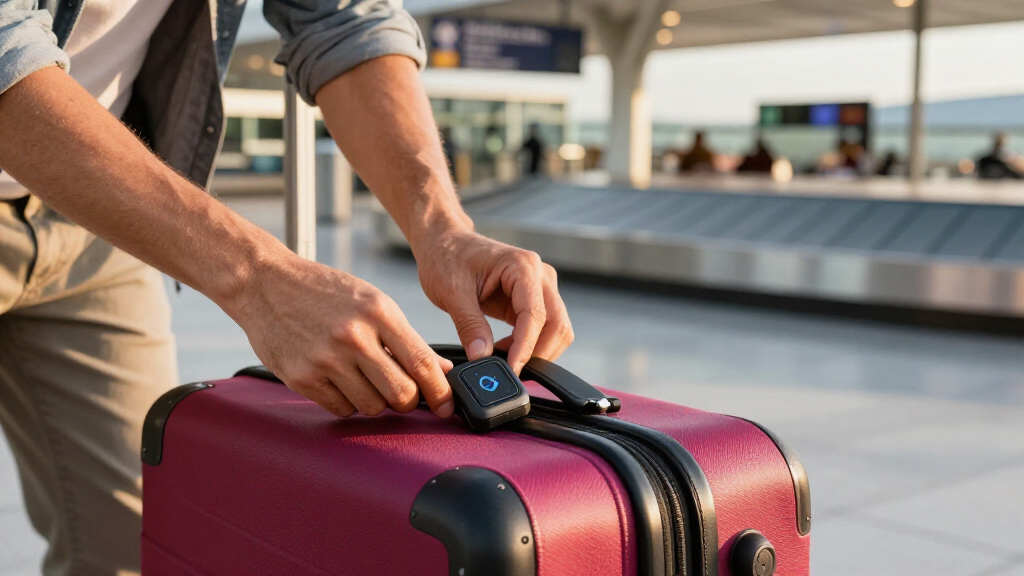
Attach your travel detector securely, so it doesn’t fall off or get damaged. Proper attachment ensures the device remains functional throughout your trip, which is crucial since a loose or damaged tracker can render your efforts useless. For Bluetooth trackers, placing them inside a side pocket or zippered compartment keeps them accessible yet protected from rough handling. For GPS devices, fixing the tracker to the handle or strap with durable zip ties or a sturdy case prevents accidental detachment, especially during baggage handling or transit.
Activation is equally important. Before your trip, download the corresponding app, pair the device via Bluetooth or Wi-Fi, and set up alerts. This initial setup guarantees you’ll receive notifications if your luggage moves unexpectedly. For example, pairing an AirTag inside your suitcase’s handle and checking its battery health ensures it’s ready for use. Remember, a poorly activated device or one with a low battery won’t provide reliable updates, which could delay your response when luggage goes missing.
Keep the tracker’s battery fresh. GPS trackers often have rechargeable batteries lasting 2–4 weeks, so regular charging or replacement is necessary. Bluetooth tags usually last a year or more before needing a new battery, but always verify their charge status before travel. An uncharged tracker is as useless as no tracker at all, so incorporate routine checks into your packing process.
Scenario: You attach an Apple AirTag inside your suitcase’s handle. Before leaving, you ensure it’s paired and check the battery health. During your trip, the app alerts you if your bag moves unexpectedly, allowing you to respond quickly and prevent loss or theft.
As an affiliate, we earn on qualifying purchases.
Understanding Airline Policies and Security Rules for Travel Detectors
Before you pack, double-check airline rules. Most airlines allow personal electronic devices and trackers in checked luggage, but some have restrictions—especially on GPS devices with cellular connectivity. Knowing these policies helps you avoid surprises or confiscations at the airport. For instance, some countries or airlines may restrict or require declaration for GPS trackers with cellular features, as they can be mistaken for communication devices or pose security concerns.
Security screening may require you to remove Bluetooth trackers or GPS units from your baggage for inspection. Packing trackers in accessible compartments facilitates quick removal if needed, preventing delays. Informing TSA officers about the device in advance can also streamline security checks, especially if the device is active or contains a rechargeable battery that might trigger alarms.
Example: A traveler used a GPS tracker on checked luggage. At security, they informed TSA about the device, avoiding delays or confiscation. This proactive approach ensures your luggage stays on track without unnecessary interruptions.
Tip: Review both airline policies and TSA guidelines online before your trip to avoid surprises at the checkpoint. Being prepared can save you time and frustration, especially if you’re traveling through multiple countries with different regulations.
As an affiliate, we earn on qualifying purchases.
Monitoring Your Luggage and Setting Alerts for Peace of Mind
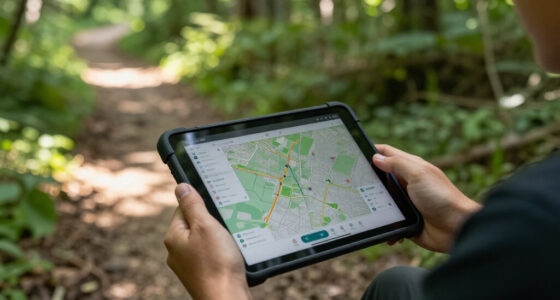
Use your tracker’s app to set up notifications when your luggage moves or leaves a designated area. These alerts are vital because they provide real-time updates that enable quick action, potentially preventing theft or further loss. Turning on alerts for departure, arrival, or unexpected movement ensures you’re always informed during critical moments of your journey.
Regularly check the app during layovers or airport stops. For example, if your GPS tracker shows your bag has moved away from your gate, you can alert staff immediately, increasing the chances of recovery. These notifications can also warn you if someone tampers with your luggage, which is especially useful for high-value or fragile items. The sooner you’re aware of suspicious activity, the easier it is to intervene before your belongings are lost or damaged.
Scenario: Your GPS tracker signals movement 200 meters from the airport. You act quickly, informing staff and preventing your bag from being rerouted or stolen. This proactive monitoring can save hours of trouble and protect your valuables, illustrating the importance of active vigilance during your trip.
Tip: Customize your alert settings based on your travel plans. For example, set alerts for when your luggage departs from the airport or arrives at your destination, and check the status periodically to stay ahead of potential issues.
As an affiliate, we earn on qualifying purchases.
Comparing GPS, Bluetooth, and RFID Trackers — Which Fits Your Travel Style?
| Feature | GPS Trackers | Bluetooth Trackers | RFID Tags |
|---|---|---|---|
| Range | Global, via cellular | Up to 100 meters | Limited to airport scanners |
| Real-Time Location | Yes | Yes (when nearby) | No |
| Battery Life | 2–4 weeks (rechargeable) | Up to 1 year+ | Passive, no battery needed |
| Cost | $50–$150 | $20–$50 | Less than $10 |
| Best For | Checked luggage, frequent travelers | Carry-ons, close-range tracking | Airport handling, security |
Choose GPS for reliable, anywhere tracking, Bluetooth for quick local updates, RFID for airport scans. Matching your device to your travel needs and luggage type ensures better security and tracking efficiency. The right choice can prevent hours of search and reduce the risk of losing high-value or fragile items.
What to Do Immediately If Your Luggage Goes Missing
If your luggage disappears, don’t panic. First, open your tracking app and check the latest location. Understanding the last known position can help you determine whether your bag is simply delayed or truly lost. If it’s nearby, try to retrieve it directly, especially if it’s in a secure area or accessible through airport staff.
If the tracker shows it’s moved far away or not updating, contact airline baggage services immediately. Provide your baggage claim number, the last known location, and any relevant details from your app. This information can expedite the recovery process and increase the likelihood of your luggage being found quickly.
For example, a traveler saw their GPS tracker signal a move from the airport terminal. They reported it right away, and the airline helped reroute or recover their bag before it was misplaced or stolen. Always keep a photo of your luggage and your tracker’s device ID handy—this documentation speeds up claims and recovery efforts.
Remember, swift action and detailed information are your best tools when luggage goes missing. The more prepared you are, the faster you can recover your belongings and get back to your trip.
Frequently Asked Questions
Are travel trackers allowed in checked luggage?
Most trackers, including GPS devices and Bluetooth tags, are permitted. However, check airline policies and security rules beforehand. Some GPS trackers with cellular connectivity may require special declaration or have restrictions in certain countries. Being aware of these regulations ensures you avoid confiscation or delays at security checkpoints, maintaining peace of mind during your journey.
Which tracker is best for checked luggage?
GPS trackers are the top choice for checked bags because they provide real-time updates across airports and cities, giving you the most comprehensive coverage. Bluetooth trackers are more suited for carry-ons or when you’re nearby, as their limited range can’t track luggage across long distances. RFID tags are mainly helpful during handling and security checks, not for ongoing location updates. Selecting the right device depends on your travel habits and the importance of real-time tracking for your luggage.
How do I set up my travel tracker?
Download the device’s app, pair the tracker via Bluetooth or Wi-Fi, and configure alerts for movement or separation. Proper setup ensures you receive timely notifications and can act quickly if your luggage moves unexpectedly. Regularly update the app and check battery levels before travel. A well-prepared tracker setup means fewer surprises and more reliable location data during your trip.
What should I do if my luggage is lost?
Check your tracker’s app for the last known location. Contact airline baggage services with your claim number and details, providing the location data from your device. Use your device ID and photos of your luggage to expedite recovery efforts. Acting swiftly and providing detailed information increases the chances of recovering your belongings and minimizes inconvenience.
Can trackers prevent luggage from being lost?
Trackers don’t prevent loss directly, but they greatly increase the chances of locating and recovering your luggage quickly. They provide visibility and control over your baggage’s whereabouts, allowing you to respond promptly if something goes wrong. While they aren’t foolproof, their strategic use can significantly reduce the stress and uncertainty of travel, especially in busy airports or during long layovers.
Conclusion
Proper use of travel detectors transforms luggage management from a gamble into a strategic advantage. Attach the right device securely, monitor actively, and stay informed. It’s a simple way to keep your travel stress-free and your belongings safe.
Next time you pack, remember: a small tech tool can save you hours, headaches, and even your cherished gear. Gear up with confidence, and travel smarter.
Halloween Picks
halloween
As an affiliate, we earn on qualifying purchases.