
TL;DR

Get travel and outdoor gear delivered free — and shop member deals
- Fast, free delivery on millions of items
- Access to Prime Big Deal Days deals on October 6–7
- Prime Video, Amazon Music and more included
To pack sensitive electronics effectively, use padded cases, organize cables, follow security rules for device and battery removal, and keep devices in climate-controlled environments. This approach keeps devices safe and speeds up security screening.
Ever had your devices scrutinized or damaged during a flight? Packing sensitive electronics isn’t just about tossing gadgets in your bag. It’s about smart protection, quick access, and staying within security rules. The right packing strategy can save you time and keep your devices safe from bumps, shocks, and even security delays.
In this guide, you’ll find real-world tips, specific gear recommendations, and recent security updates. Whether you’re traveling with a laptop, camera gear, or a drone, these insights help you arrive with everything intact and ready to use.
Always use padded or shock-resistant cases for your most fragile electronics.
Organize cables and devices in clearly labeled compartments to speed security checks.
Carry all lithium batteries in your carry-on, properly taped or in original packaging.
Keep electronics in a climate-controlled environment and avoid extreme temperatures.
Stay updated on security rules—be ready to turn on devices or remove large electronics at checkpoints.
How to Protect Your Devices From Damage During Transit
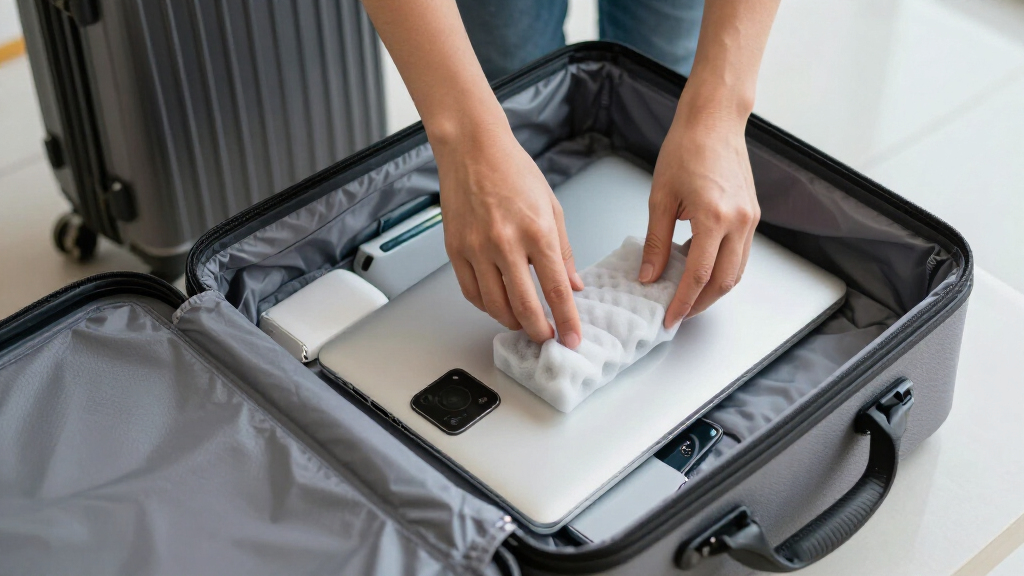
Protection starts with choosing the right gear. Use padded sleeves or hard-shell cases for laptops, tablets, and cameras. Think of it like armor—your device’s first line of defense against bumps and drops. For example, a 15-inch laptop in a shock-absorbing case can handle accidental knocks better than just tossing it in your bag.
When packing, place fragile items on top of heavier gear and avoid stacking heavy objects on electronics. Consider wrapping smaller devices in bubble wrap or anti-static bags for extra safety. A real-life scenario: a photographer’s DSLR survived a rough baggage handler because it was snug inside a water-resistant, padded case.
As an affiliate, we earn on qualifying purchases.
Organize Electronics for Easy Security Checks and Quick Access
Organizing is key. Use cable pouches, dedicated compartments, or small pouches to keep cords, chargers, and devices separate. This not only prevents tangling but speeds up the security process. Imagine pulling out your tablet, laptop, and charger within seconds at the TSA checkpoint—no fumbling, no delays.
For example, a traveler’s tech bag with labeled compartments made the security line breeze through, avoiding the dreaded unpacking chaos. Keep your devices in a clearly marked section so they’re easy to find and show during screening.
As an affiliate, we earn on qualifying purchases.
Follow Security Rules for a Faster, Smoother Checkpoint Experience
Security agencies like TSA require electronics larger than a phone to be removed from your bag. This isn’t just bureaucratic—it’s about safety and quick checks. In 2023, TSA updates emphasize preparing these items beforehand to avoid hold-ups.
Always pack your laptop, tablet, and e-reader in accessible spots. Be ready to turn on devices if asked—this verifies they’re not fake or dangerous. A quick tip: keep your electronics in an easily reachable pocket or compartment for smooth screening.
As an affiliate, we earn on qualifying purchases.
Safe Battery Handling: What You Need to Know
Battery safety is critical. Lithium batteries are fire hazards if mishandled, so carry spares in your carry-on only. Always store batteries in their original packaging or tape over terminals to prevent shorts. For instance, a traveler taped over the terminals of a spare drone battery before packing it, avoiding sparks or fires during flight.
Remember: batteries in checked luggage are forbidden for most airlines, because fires can ignite unnoticed. Carry all batteries in a climate-controlled, static-free environment—your bag’s dedicated pocket works well.
As an affiliate, we earn on qualifying purchases.
Keep Your Devices in a Climate-Controlled Environment During Travel
Extreme heat or cold can damage sensitive electronics. Think of your devices like delicate plants—they thrive in stable conditions. Avoid leaving gadgets in hot cars or cold luggage compartments. For example, a camera’s internal sensor can malfunction if exposed to freezing temperatures during a winter flight.
Keep your electronics in your carry-on with you, ideally in a climate-controlled cabin area. Use padded compartments that insulate and prevent sudden temperature swings.
The Latest Security & Tech Trends Affecting Your Packing Strategy
Security protocols continue to tighten, especially for high-tech gear. In 2023, many airports now require turning on devices to prove they’re functional—no exceptions. Protective gear has advanced too, with anti-static bags and shock-resistant cases becoming standard.
Smart luggage with built-in charging ports is gaining popularity, but remember, batteries still need careful handling. For example, a traveler’s smart suitcase had a dedicated pocket for batteries, making compliance easier and safer.
Comparison Table: Protecting Your Electronics — Gear & Techniques
| Protection Method | Pros | Cons |
|---|---|---|
| Hard-shell case | Maximum impact resistance, water-resistant | Heavier, bulkier |
| Padded sleeve | Lightweight, portable | Less shock absorption |
| Bubble wrap & anti-static bag | Cost-effective, flexible | Requires careful wrapping |
Step-by-Step: Packing Your Electronics Like a Pro
- Gather all devices, cables, and batteries. Check for damage or updates.
- Place fragile items in padded cases or anti-static bags.
- Organize cables and chargers into labeled pouches.
- Pack batteries in their original packaging or taped terminals, in a dedicated pocket.
- Arrange devices in a compartment with padding, keeping frequently used items at the top.
- Ensure everything is readily accessible for security screening.
- Close your bag carefully, avoiding crushing or squeezing electronics.
Frequently Asked Questions
How should I pack my laptop and tablet to prevent damage?
Use padded sleeves or hard-shell cases, place them in dedicated compartments, and avoid stacking heavy items on top. Keep them accessible for security checks to minimize handling.Are there specific guidelines for carrying camera gear or drones?
Yes. Use protective, shock-absorbing cases, carry batteries separately in approved containers, and always check airline regulations for size and battery restrictions before packing.What should I do if my electronics trigger security alarms?
Remain calm, cooperate fully, and be prepared to turn on devices if asked. Follow security personnel’s instructions closely, and keep devices easily accessible.Can I carry spare batteries and chargers in my carry-on?
Yes. Lithium batteries must stay in carry-on luggage, ideally in their original packaging or taped over terminals. Keep spares in a safe, accessible pocket.Are there any recent changes in regulations I should be aware of?
Regulations vary by country and airline. Always check with your carrier and security agencies before travel to stay compliant and avoid surprises.Conclusion
Smart packing isn’t just about protecting your gadgets. It’s about simplifying your journey and avoiding delays. Use sturdy cases, organize ruthlessly, and stay aware of security rules. That way, your devices arrive ready to serve, not broken or lost in transit.
Next time you zip up your bag, imagine each device wrapped in a shield of protection—your peace of mind depends on it. Travel light, travel smart, and keep your tech safe every step of the way.
Fall Picks
fall essentials
As an affiliate, we earn on qualifying purchases.